Tracks not displaying for some participants

classic Classic list List threaded Threaded
4 messages Options
Reply | Threaded
Open this post in threaded view
|

Tracks not displaying for some participants

John_Pickup
This was our first time using MapRun for a new event - a two day score in the style of a mountain marathon.

We experienced a few problems which I'd like to report in the hope that they can contribute to improvements in an excellent app:

When, post-event, viewing the tracks a few participants can't be selected, with the check-box next to their name disabled. Here's an example, from /UK/Surrey/Surrey Hills/SUMM 2026/SUMM Day 2 v2 ScoreP360 (I can supply the PIN if reqd):
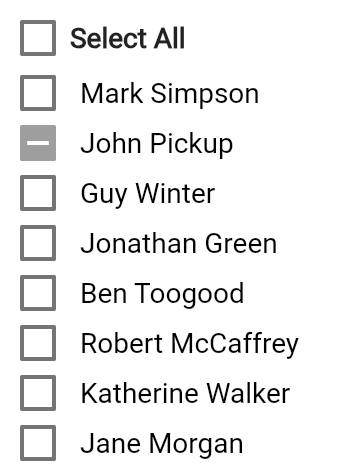

On the results page the entry is valid with a score, time, controls, etc. and the track does show up on the participant's phone. It's just when it comes to viewing all tracks, on either phone or web, that certain tracks aren't available and it's not clear why.


Next is perhaps more of an observation than a problem as this behaviour might well be intentional. Two participants in the event, both using MapRunG, went to other features on their watch during the event. One went to the messages app and another had the watch "report an incident" after a fall that needed to be cancelled. In both cases, on returning to the MapRunG activity, the state was as if the activity had not yet been started and thus requiring a return to the start control, which wasn't feasible. In both cases the partial activity was recorded to Garmin Connect and the participant then started a normal running activity on their watch that covered the remainder of the course.
Reply | Threaded
Open this post in threaded view
|

Re: Tracks not displaying for some participants

Peter Effeney
Administrator
John,

On the first point, the short answer is, if a participant doesn't see their results, or their result but no track, in the results for the event, they should do a "Manual Upload" from their phone. That is, whilst looking that the result on their phone, from the menu on the top right, select "Upload (Manual)".

The issue comes about when the initial Auto-Upload after finish is triggered. Sometimes, depending on the quality of mobile data coverage, the upload of the track file (which can be quite large for long events) can fail. Users can retry there or when they get back home on wifi.

On the MapRunG issue, this is not something I've seen before, but it sounds like the watch is killing the MapRunG app. After a bit of research I see a known Garmin Bug for some models of watches: https://forums.garmin.com/developer/connect-iq/i/bug-reports/bug-if-user-goes-to-watch-face-glance-carousel-from-activity-app-the-app-exits-session-is-saved-etc?utm_source=perplexity

If you can get the full track from the user (or combine two tracks to make a full track) you can get a result for them using: https://console.maprun.net/#/gps_track_upload_without_rg

Peter

Reply | Threaded
Open this post in threaded view
|

Re: Tracks not displaying for some participants

John_Pickup
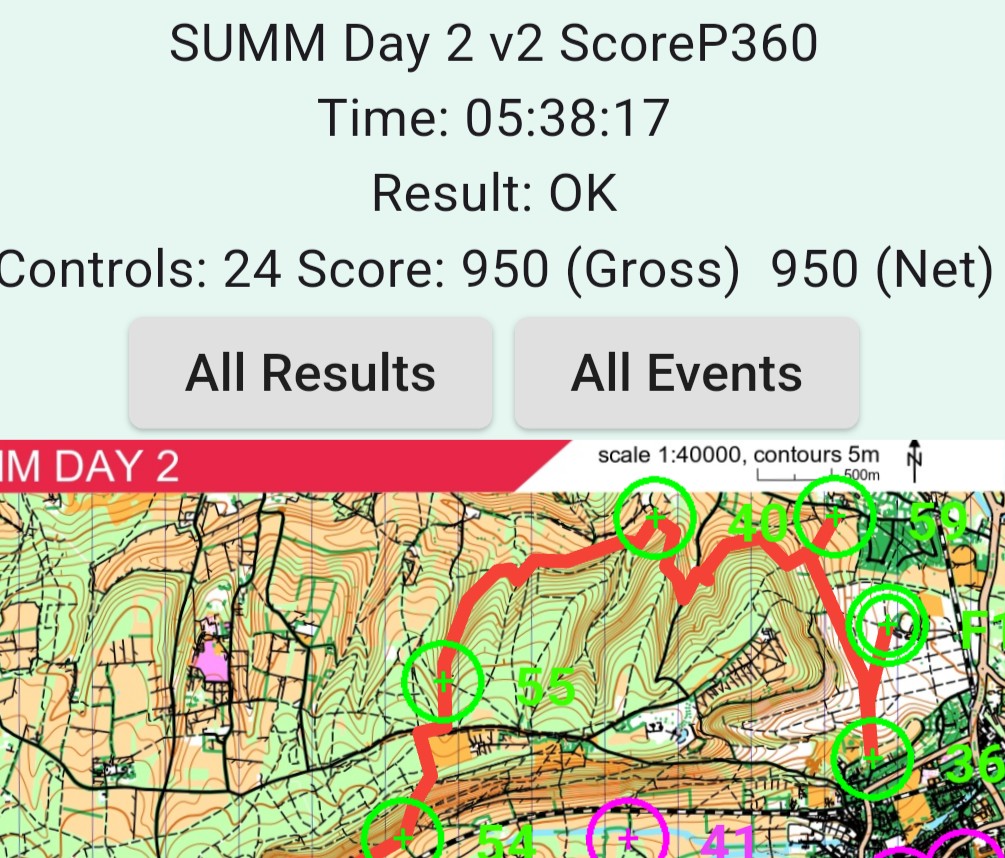
There is something here that's still a bit strange as the Garmin upload has worked. In the example above, where it's not possible to view my track, here's what I see prior to that.


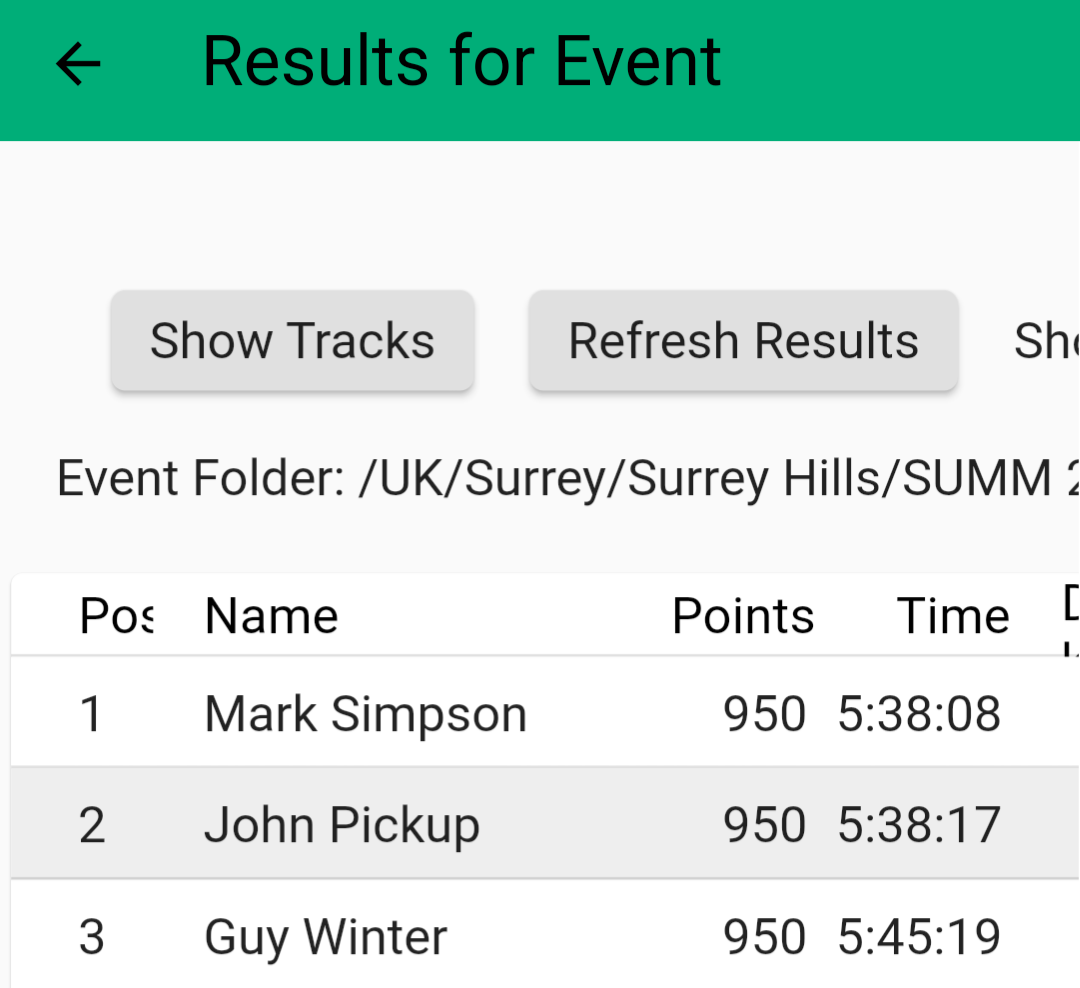
And in the results list:


So it certainly looks like the upload completed without error and should therefore appear on the list of tracks, indeed the list of names shown there appears to be the list of people that did upload.

I say that but there is one case that's slightly different where the user can see the upload on their phone, including score, etc. but they don't appear in the results list. They were the winners too, so it would certainly be interesting to see their track. For them I'll ask for a GPX and add manually.

I hope this is all useful diagnostics. Let me know if there is anything else I can provide.

The event worked out well. It was a pairs event so in all but one case we had at least one of the pair with a successful upload.

Thanks,
John.
Reply | Threaded
Open this post in threaded view
|

Re: Tracks not displaying for some participants

John_Pickup
Scratch that. I reread your reply, properly this time, and did what you suggested and it worked.